

Activity Content
Introduction
You may display quoted text, structured values, or file details below an activity's headline.
Adding Quoted Text
Use an Excerpt body for someone's words or a passage from a document. Define the body on the quoted model in toFeed():
use Storyfeed\Body\Excerpt;
use Storyfeed\FeedEntity;

public function toFeed(): FeedEntity
{
    return FeedEntity::make()
        ->label('Order note')
        ->body(
            Excerpt::make()
                ->text($this->body)
                ->from($this->author->name)
                ->truncated(false),
        );
}use Storyfeed\Body\Excerpt;
use Storyfeed\FeedEntity;
public function toFeed(): FeedEntity
{
return FeedEntity::make(
label: 'Order note',
body: Excerpt::make(
text: $this->body,
from: $this->author->name,
truncated: false,
),
);
}Here author is the note's author relationship. from() names whose words are being quoted. Set truncated(false) when the body contains the complete text. The attribution appears below the quotation:
Can I collect this at the counter?
Record the note as the activity's object and the order as its target:
use Storyfeed\Facades\Storyfeed;

$note = $order->notes()->create($request->validated());

Storyfeed::activity()
    ->by($request->user())
    ->action('post', $note)
    ->to($order)
    ->publish();
The body belongs to the note's shared entity snapshot. Saving the note can change the text shown on older activities. To preserve text exactly as it was when the event happened, also record it in activity data.
Adding Entity Bodies
A body contains an entity's structured content. Define it in the model's toFeed method and render it in your frontend. The body is available wherever the entity appears. With InteractsWithFeed, saving the model refreshes its shared snapshot while recording is enabled. That can change the body shown on older activities too. Use activity data to capture values as they were at the event.
Text and Labelled Values
<?php

namespace App\Models;

use Illuminate\Database\Eloquent\Model;
use Storyfeed\Concerns\InteractsWithFeed;
use Storyfeed\Contracts\Feedable;
use Storyfeed\Body\Prose;
use Storyfeed\FeedEntity;

class Order extends Model implements Feedable
{
    use InteractsWithFeed;

    public function toFeed(): FeedEntity
    {
        return FeedEntity::make()
            ->label("Order #{$this->reference}")
            ->body(
                Prose::make()
                    ->content($this->instructions)
                    ->title("Order #{$this->reference} instructions"),
            );
    }
}<?php
namespace App\Models;
use Illuminate\Database\Eloquent\Model;
use Storyfeed\Concerns\InteractsWithFeed;
use Storyfeed\Contracts\Feedable;
use Storyfeed\Body\Prose;
use Storyfeed\FeedEntity;
class Order extends Model implements Feedable
{
use InteractsWithFeed;
public function toFeed(): FeedEntity
{
return FeedEntity::make(
label: "Order #{$this->reference}",
body: Prose::make(
content: $this->instructions,
title: "Order #{$this->reference} instructions",
),
);
}
}A spoon with the order, please.
Include a title to identify the order when the body appears without a headline.
Use KeyValue for labelled values:
use Storyfeed\Body\KeyValue;
use Storyfeed\FeedEntity;

FeedEntity::make()
    ->label("Order #{$this->reference}")
    ->body(
        KeyValue::make()->title("Order #{$this->reference}")->items([
            'Pickup' => $this->pickup_at->format('g:i a'),
            'Items' => $this->items->count(),
            'Reference' => KeyValue::verbatim($this->reference),
            'Table' => KeyValue::placeholder($this->table, 'not seated'),
        ]),
);use Storyfeed\Body\KeyValue;
use Storyfeed\FeedEntity;
FeedEntity::make(
label: "Order #{$this->reference}",
body: KeyValue::make(
title: "Order #{$this->reference}",
items: [
'Pickup' => $this->pickup_at->format('g:i a'),
'Items' => $this->items->count(),
'Reference' => KeyValue::verbatim($this->reference),
'Table' => KeyValue::placeholder($this->table, 'not seated'),
],
),
);- Pickup
- 12:10 pm
- Items
- 1
- Reference
- 1035
- Table
- not seated
Use the KeyValue::placeholder method to specify text for an empty value. Use ->defaultPlaceholder('—') to set the default for every row without its own placeholder, or pass defaultPlaceholder: to KeyValue::make(). The KeyValue::verbatim method marks a value for display without formatting, such as a reference number.
Formatted Text and Raw Output
For code or raw output, create the body with Prose::verbatim. It keeps the source characters and line breaks, and long output scrolls within the body:
use Storyfeed\Body\Prose;

Prose::verbatim($this->output, title: $this->name); 10 REM DOOR OVERRIDE — ILLUSTRATIVE BASIC
20 INPUT "SECURITY CODE"; C$
30 IF C$ = "" THEN GOTO 20
40 PRINT "MANUAL OVERRIDE REQUESTED"
50 FOR D = 1 TO 4
60 PRINT "DOOR"; D; " RELEASE REQUEST SENT"
70 NEXT D
80 ENDSYSTEM RESTART ........ COMPLETE
MANUAL INPUT .......... ACCEPTED
DOOR CONTROL .......... ONLINE
EXIT LOCKS ............ RELEASEDSTATION: CEREBRO / WEATHERTOP
CALL TO UTAH .......... NO REPLY
UNEXPECTED SIGNAL .... VOICE / RUSSIAN
MESSAGE .............. REPEATING
NEXT STEP ............ KEEP THE TAPEFor formatted text, use Prose::markdown or Prose::html. Storyfeed stores the source, and the renderer converts and sanitizes it:
use Storyfeed\Body\Prose;

Prose::markdown($this->notes, title: $this->title); What the machine needs
Alexei’s account: the machine is opening a gate beneath the mall.
- Locate the control room.
- Reach the two shutdown keys.
- Check the safe combination before going in.
Working note: translation is evidence, not a complete floor plan.
Door control restored. The restart has returned the locks to manual control.
- Keep the exit route clear.
- Confirm that everyone has left the building.
Quoting a Source
Use Excerpt to quote someone else's words, such as a person interviewed for a story. The from argument names who said them or where they came from:
use Storyfeed\Body\Excerpt;
use Storyfeed\FeedEntity;

FeedEntity::make()
    ->label($this->title)
    ->body(
        Excerpt::make()
            ->text($this->pull_quote)
            ->from($this->pull_quote_source),
);use Storyfeed\Body\Excerpt;
use Storyfeed\FeedEntity;
FeedEntity::make(
label: $this->title,
body: Excerpt::make(
text: $this->pull_quote,
from: $this->pull_quote_source,
),
);They came back every night for my fertilizer, bag after bag
Excerpts are marked as truncated by default. Call truncated(false) when the text is complete. For the entity's own text, such as an article's opening paragraph, use Prose instead.
A record of an answer taken down word for word quotes the person who gave it, and marks the text as complete:
Planck’s constant is 6.62607004.
Adding an Image
Use an Image body to show a photograph with a caption. The body names a feedMedia slot; it never stores the picture's URL. withPreview() selects the preview slot, which is also the default:
use Storyfeed\Body\Image;
use Storyfeed\FeedEntity;

return FeedEntity::make()
    ->label($this->name)
    ->body(
        Image::make()
            ->caption($this->subject)
            ->alt($this->description)
            ->withPreview()
    );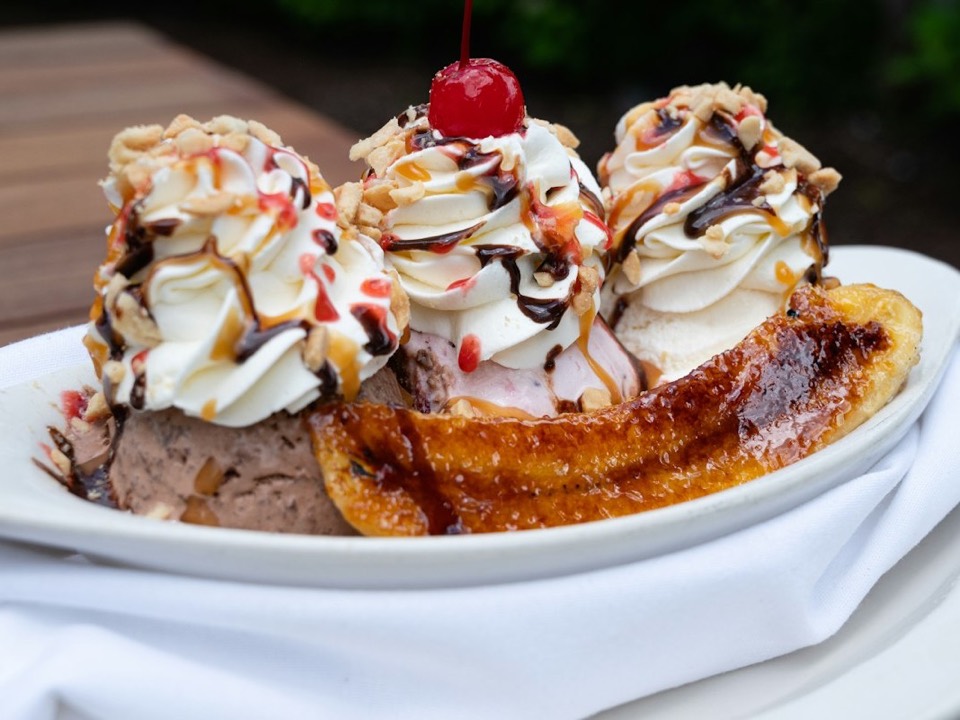
Use withImage() for the image slot or withIcon() for the icon slot. The renderer uses alt, then the caption, then an empty alt attribute. An empty slot draws nothing, including the caption. See Feed Media for the resolver that supplies the picture.
File Attachment
Use FileAttachment in a Document model's toFeed method to describe a PDF, such as a signed agreement:
use Storyfeed\Body\FileAttachment;
use Storyfeed\FeedEntity;

return FeedEntity::make()
    ->label($this->name)
    ->body(
        FileAttachment::make()
            ->size($this->bytes)
            ->mediaType('application/pdf')
            ->name($this->name)
);use Storyfeed\Body\FileAttachment;
use Storyfeed\FeedEntity;
return FeedEntity::make(
label: $this->name,
body: FileAttachment::make(
size: $this->bytes,
mediaType: 'application/pdf',
name: $this->name,
),
);135 KB · application/pdf
The FileAttachment body stores file details. Configure the URL separately with the link resolver.
Lists of Items
Use ItemList for an order's items. Each item may be a plain string or a FeedLink to another page:
use App\Models\OrderLine;
use Storyfeed\Body\ItemList;
use Storyfeed\FeedEntity;
use Storyfeed\FeedLink;

FeedEntity::make()
    ->label("Order #{$this->reference}")
    ->body(
        ItemList::make()
            ->title("Order #{$this->reference} items")
            ->items(
                $this->lines->take(2)->map(
                    fn (OrderLine $line) => FeedLink::make(
                        $line->item->name,
                        $line->item->url,
                    ),
                ),
            )
            ->items([$this->lines->get(2)->item->name])
            ->totalItems($this->lines->count())
            ->more(FeedLink::make("Order #{$this->reference}", $this->url)),
);use App\Models\OrderLine;
use Storyfeed\Body\ItemList;
use Storyfeed\FeedEntity;
use Storyfeed\FeedLink;
FeedEntity::make(
label: "Order #{$this->reference}",
body: ItemList::make(
title: "Order #{$this->reference} items",
items: [
...$this->lines->take(2)->map(
fn (OrderLine $line) => FeedLink::make(
$line->item->name,
$line->item->url,
),
),
$this->lines->get(2)->item->name,
],
totalItems: $this->lines->count(),
more: FeedLink::make("Order #{$this->reference}", $this->url),
),
);- a hot dog
- a corn dog
- a pretzel
This order has five items. The body includes two linked items and one plain-string item. The totalItems method records the full count, and more provides a link to the order containing the remaining items. Use ItemList::ordered() when the sequence of the items matters.
A list can also preserve a short arrangement of items:
- A B C D E F G H
- I J K L M N O P Q
- R S T U V W X Y Z
Adding Multiple Bodies
Entities in any role can have bodies. Your frontend chooses which to display. Each body() call appends a body in the order given:
<?php

namespace App\Models;

use Illuminate\Database\Eloquent\Model;
use Storyfeed\Body\KeyValue;
use Storyfeed\Body\Prose;
use Storyfeed\Concerns\InteractsWithFeed;
use Storyfeed\Contracts\Feedable;
use Storyfeed\FeedEntity;

class MenuItem extends Model implements Feedable
{
    use InteractsWithFeed;

    public function toFeed(): FeedEntity
    {
        return FeedEntity::make()
            ->label($this->name)
            ->body(Prose::make($this->description))
            ->body(KeyValue::make()->items('Station', $this->station));
    }
}<?php
namespace App\Models;
use Illuminate\Database\Eloquent\Model;
use Storyfeed\Body\KeyValue;
use Storyfeed\Body\Prose;
use Storyfeed\Concerns\InteractsWithFeed;
use Storyfeed\Contracts\Feedable;
use Storyfeed\FeedEntity;
class MenuItem extends Model implements Feedable
{
use InteractsWithFeed;
public function toFeed(): FeedEntity
{
return FeedEntity::make(
label: $this->name,
body: [
Prose::make($this->description),
KeyValue::make(items: ['Station' => $this->station]),
],
);
}
}Linking a Title
Use MediaObject for a notice with a title and a short description. Pass a FeedLink as its subject to make the title a link:
use Storyfeed\Body\MediaObject;
use Storyfeed\FeedEntity;
use Storyfeed\FeedLink;

FeedEntity::make()
    ->label($this->title)
    ->body(
        MediaObject::make()
            ->subject(FeedLink::make($this->title, $this->url))
            ->content($this->description),
);use Storyfeed\Body\MediaObject;
use Storyfeed\FeedEntity;
use Storyfeed\FeedLink;
FeedEntity::make(
label: $this->title,
body: MediaObject::make(
subject: FeedLink::make($this->title, $this->url),
content: $this->description,
),
);The counter opens at 10 am. Orders are available until 9 pm.
The title links to the notice at the URL supplied when its body is stored.
To link to another page, pass that page's title and URL:
use Storyfeed\Body\MediaObject;
use Storyfeed\FeedEntity;
use Storyfeed\FeedLink;

FeedEntity::make()
    ->label($this->title)
    ->body(
        MediaObject::make()
            ->subject(FeedLink::make($this->guide_title, $this->guide_url))
            ->content($this->description),
);use Storyfeed\Body\MediaObject;
use Storyfeed\FeedEntity;
use Storyfeed\FeedLink;
FeedEntity::make(
label: $this->title,
body: MediaObject::make(
subject: FeedLink::make($this->guide_title, $this->guide_url),
content: $this->description,
),
);The visitor guide includes entrances, parking and shop locations.
The body title links to the visitor guide, while the headline links to the notice. A plain-string subject displays a title without a link.
Links in Bodies
A FeedLink contains a label and an href. Pass the destination URL as the second argument to FeedLink::make, or set it with the href method.
The href is stored as written. It can become stale if a route changes or a signed URL expires.
The label names the thing, such as a notice or an order. It should not be an instruction such as “Open the conversation”. See the FeedLink reference for its methods and the body fields that accept it.
Available Body Types
| Body Type | Content | Payload Keys |
|---|---|---|
KeyValue | labelled values | title, defaultPlaceholder, items[] of key, value, verbatim, placeholder |
Excerpt | a quoted passage and its source | text, from, truncated |
Image | a picture and caption | caption, alt, width, height, image (slot name) |
FileAttachment | file name, size, and media type | name, size, mediaType |
Prose | text and its format | content, mediaType, verbatim, title |
ItemList | named items with optional links | title, items[], ordered, totalItems, more |
MediaObject | a title, text, image, and files | subject, content, image, files, footnote |
Component | a custom component name and props | name, props |
These classes use the Storyfeed\Body namespace. Each body's payload includes its type in $body, such as Storyfeed/Body/KeyValue, and its version in $v. Your renderer uses these fields to display the body. Passing a string as a body creates a Prose body.
See Resolving Bodies When Retrieved for current and deferred values, or Custom Body Types to render custom components and define your own body types.