

Retrieving Feeds
Introduction
To retrieve a page of activities, call the feed method on the Storyfeed facade, followed by the get method.
Retrieving a Feed
You may return the feed from a route:
use Illuminate\Support\Facades\Route;
use Storyfeed\Facades\Storyfeed;

Route::get('/', function () {
    return Storyfeed::feed()->limit(20)->get();
});
For three order placements, the response contains:
{
  "payload_version": 1,
  "items": [
    {
      "kind": "group",
      "id": "repeat-a-order-3",
      "axis": "repeat",
      "count": 3,
      "verb": "place",
      "published_at": "1985-07-02T12:02:00.000000Z",
      "headline_template": ":actor placed :count orders with :target",
      "headline": null,
      "glyph": "shopping-bag",
      "glyph_intent": "pending",
      "actor": {
        "type": "user",
        "id": "113",
        "label": "Erica Sinclair",
        "url": "/users/113",
        "attributes": {},
        "modal": false,
        "data": {},
        "media": null,
        "body": null,
        "tombstone": null
      },
      "object": null,
      "target": {
        "type": "venue",
        "id": "101",
        "label": "Scoops Ahoy",
        "url": "/venues/scoops",
        "attributes": {},
        "modal": false,
        "data": {},
        "media": {
          "icon": null,
          "image": null,
          "files": [],
          "preview": {
            "src": "/media/worlds/stranger-things/parlour.jpg",
            "mediaType": "image/jpeg",
            "width": 960,
            "height": 720,
            "alt": "An ice cream counter"
          },
          "url": null
        },
        "body": [
          {
            "$body": "Storyfeed/Body/Image",
            "$v": 1,
            "caption": "Scoops Ahoy",
            "alt": "Scoops Ahoy",
            "width": null,
            "height": null,
            "image": "preview"
          }
        ],
        "tombstone": null
      },
      "context": null,
      "origin": null,
      "result": null,
      "instrument": null,
      "sample": {
        "actors": [
          {
            "type": "user",
            "id": "113",
            "label": "Erica Sinclair",
            "url": "/users/113",
            "attributes": {},
            "modal": false,
            "data": {},
            "media": null,
            "body": null,
            "tombstone": null
          }
        ],
        "objects": [
          {
            "type": "order",
            "id": "1041",
            "label": "Order #1041",
            "url": "/orders/1041",
            "attributes": {},
            "modal": false,
            "data": {},
            "media": null,
            "body": null,
            "tombstone": null
          },
          {
            "type": "order",
            "id": "1040",
            "label": "Order #1040",
            "url": "/orders/1040",
            "attributes": {},
            "modal": false,
            "data": {},
            "media": null,
            "body": null,
            "tombstone": null
          },
          {
            "type": "order",
            "id": "1035",
            "label": "Order #1035",
            "url": "/orders/1035",
            "attributes": {},
            "modal": false,
            "data": {},
            "media": null,
            "body": null,
            "tombstone": null
          }
        ],
        "targets": [
          {
            "type": "venue",
            "id": "101",
            "label": "Scoops Ahoy",
            "url": "/venues/scoops",
            "attributes": {},
            "modal": false,
            "data": {},
            "media": {
              "icon": null,
              "image": null,
              "files": [],
              "preview": {
                "src": "/media/worlds/stranger-things/parlour.jpg",
                "mediaType": "image/jpeg",
                "width": 960,
                "height": 720,
                "alt": "An ice cream counter"
              },
              "url": null
            },
            "body": [
              {
                "$body": "Storyfeed/Body/Image",
                "$v": 1,
                "caption": "Scoops Ahoy",
                "alt": "Scoops Ahoy",
                "width": null,
                "height": null,
                "image": "preview"
              }
            ],
            "tombstone": null
          }
        ],
        "contexts": [],
        "origins": [],
        "results": [],
        "instruments": []
      },
      "distinct": {
        "actors": 1,
        "objects": 3,
        "targets": 1,
        "contexts": 0,
        "origins": 0,
        "results": 0,
        "instruments": 0
      },
      "children": [
        {
          "kind": "activity",
          "id": "a-order-3",
          "verb": "place",
          "published_at": "1985-07-02T12:02:00.000000Z",
          "headline_template": ":actor placed :object with :target",
          "headline": null,
          "glyph": "shopping-bag",
          "glyph_intent": "pending",
          "actor": {
            "type": "user",
            "id": "113",
            "label": "Erica Sinclair",
            "url": "/users/113",
            "attributes": {},
            "modal": false,
            "data": {},
            "media": null,
            "body": null,
            "tombstone": null
          },
          "object": {
            "type": "order",
            "id": "1041",
            "label": "Order #1041",
            "url": "/orders/1041",
            "attributes": {},
            "modal": false,
            "data": {},
            "media": null,
            "body": null,
            "tombstone": null
          },
          "target": {
            "type": "venue",
            "id": "101",
            "label": "Scoops Ahoy",
            "url": "/venues/scoops",
            "attributes": {},
            "modal": false,
            "data": {},
            "media": {
              "icon": null,
              "image": null,
              "files": [],
              "preview": {
                "src": "/media/worlds/stranger-things/parlour.jpg",
                "mediaType": "image/jpeg",
                "width": 960,
                "height": 720,
                "alt": "An ice cream counter"
              },
              "url": null
            },
            "body": [
              {
                "$body": "Storyfeed/Body/Image",
                "$v": 1,
                "caption": "Scoops Ahoy",
                "alt": "Scoops Ahoy",
                "width": null,
                "height": null,
                "image": "preview"
              }
            ],
            "tombstone": null
          },
          "context": null,
          "origin": null,
          "result": null,
          "instrument": null,
          "data": {},
          "tombstoned": [],
          "redundant": false,
          "missing_headline_template": null,
          "missing_headline": null
        },
        {
          "kind": "activity",
          "id": "a-order-2",
          "verb": "place",
          "published_at": "1985-07-02T12:01:00.000000Z",
          "headline_template": ":actor placed :object with :target",
          "headline": null,
          "glyph": "shopping-bag",
          "glyph_intent": "pending",
          "actor": {
            "type": "user",
            "id": "113",
            "label": "Erica Sinclair",
            "url": "/users/113",
            "attributes": {},
            "modal": false,
            "data": {},
            "media": null,
            "body": null,
            "tombstone": null
          },
          "object": {
            "type": "order",
            "id": "1040",
            "label": "Order #1040",
            "url": "/orders/1040",
            "attributes": {},
            "modal": false,
            "data": {},
            "media": null,
            "body": null,
            "tombstone": null
          },
          "target": {
            "type": "venue",
            "id": "101",
            "label": "Scoops Ahoy",
            "url": "/venues/scoops",
            "attributes": {},
            "modal": false,
            "data": {},
            "media": {
              "icon": null,
              "image": null,
              "files": [],
              "preview": {
                "src": "/media/worlds/stranger-things/parlour.jpg",
                "mediaType": "image/jpeg",
                "width": 960,
                "height": 720,
                "alt": "An ice cream counter"
              },
              "url": null
            },
            "body": [
              {
                "$body": "Storyfeed/Body/Image",
                "$v": 1,
                "caption": "Scoops Ahoy",
                "alt": "Scoops Ahoy",
                "width": null,
                "height": null,
                "image": "preview"
              }
            ],
            "tombstone": null
          },
          "context": null,
          "origin": null,
          "result": null,
          "instrument": null,
          "data": {},
          "tombstoned": [],
          "redundant": false,
          "missing_headline_template": null,
          "missing_headline": null
        },
        {
          "kind": "activity",
          "id": "j84",
          "verb": "place",
          "published_at": "1985-07-02T12:00:00.000000Z",
          "headline_template": ":actor placed :object with :target",
          "headline": null,
          "glyph": "shopping-bag",
          "glyph_intent": "pending",
          "actor": {
            "type": "user",
            "id": "113",
            "label": "Erica Sinclair",
            "url": "/users/113",
            "attributes": {},
            "modal": false,
            "data": {},
            "media": null,
            "body": null,
            "tombstone": null
          },
          "object": {
            "type": "order",
            "id": "1035",
            "label": "Order #1035",
            "url": "/orders/1035",
            "attributes": {},
            "modal": false,
            "data": {},
            "media": null,
            "body": null,
            "tombstone": null
          },
          "target": {
            "type": "venue",
            "id": "101",
            "label": "Scoops Ahoy",
            "url": "/venues/scoops",
            "attributes": {},
            "modal": false,
            "data": {},
            "media": {
              "icon": null,
              "image": null,
              "files": [],
              "preview": {
                "src": "/media/worlds/stranger-things/parlour.jpg",
                "mediaType": "image/jpeg",
                "width": 960,
                "height": 720,
                "alt": "An ice cream counter"
              },
              "url": null
            },
            "body": [
              {
                "$body": "Storyfeed/Body/Image",
                "$v": 1,
                "caption": "Scoops Ahoy",
                "alt": "Scoops Ahoy",
                "width": null,
                "height": null,
                "image": "preview"
              }
            ],
            "tombstone": null
          },
          "context": null,
          "origin": null,
          "result": null,
          "instrument": null,
          "data": {},
          "tombstoned": [],
          "redundant": false,
          "missing_headline_template": null,
          "missing_headline": null
        }
      ],
      "children_truncated": false,
      "tombstoned": [],
      "redundant": false,
      "distinct_tombstoned": {
        "actors": 0,
        "objects": 0,
        "targets": 0,
        "contexts": 0,
        "origins": 0,
        "results": 0,
        "instruments": 0
      }
    }
  ],
  "next_cursor": "eyJwIjoiMjAyNi0wOC0xNFQxNDowNTowMFoifQ",
  "sync_token": "01J8Z3K4Q2V9WMX7R5T0B6N1CD"
}
The get method returns a FeedPage. Access its items with $page['items'] using PHP array syntax. The rendered feed displays:
The three orders appear in one row. A group combines related activities, such as repeated orders by one customer, while retaining its members. See Aggregation for grouping rules and headlines.
Choosing a Read Mode
| Call | Returns |
|---|---|
->live() | groups of repeated actions or activities from several actors with the same target; the default |
->summary() | activities grouped by actor and calendar period, summarized by verb |
->log() | one item per activity, without groups |
The following feeds display the same week of activities in each mode:
Live
Live mode groups repeated actions and activities from several actors with the same target. It is the default, so you may omit the live method.
use Storyfeed\Facades\Storyfeed;

Storyfeed::feed()->live()->get();
Today
Planck’s constant is 6.62607004.


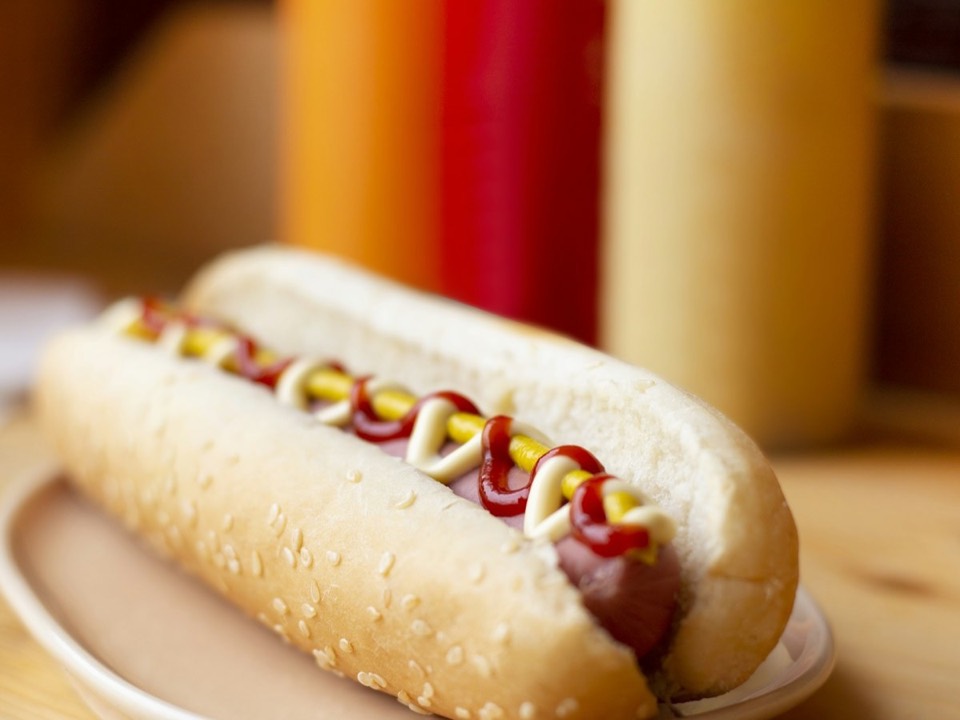
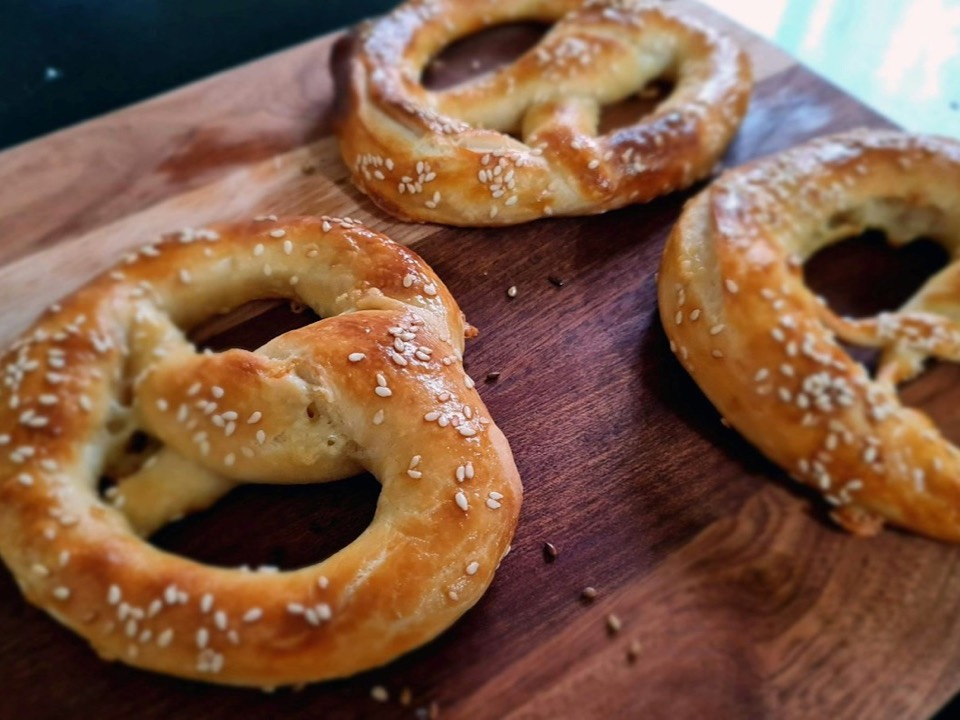
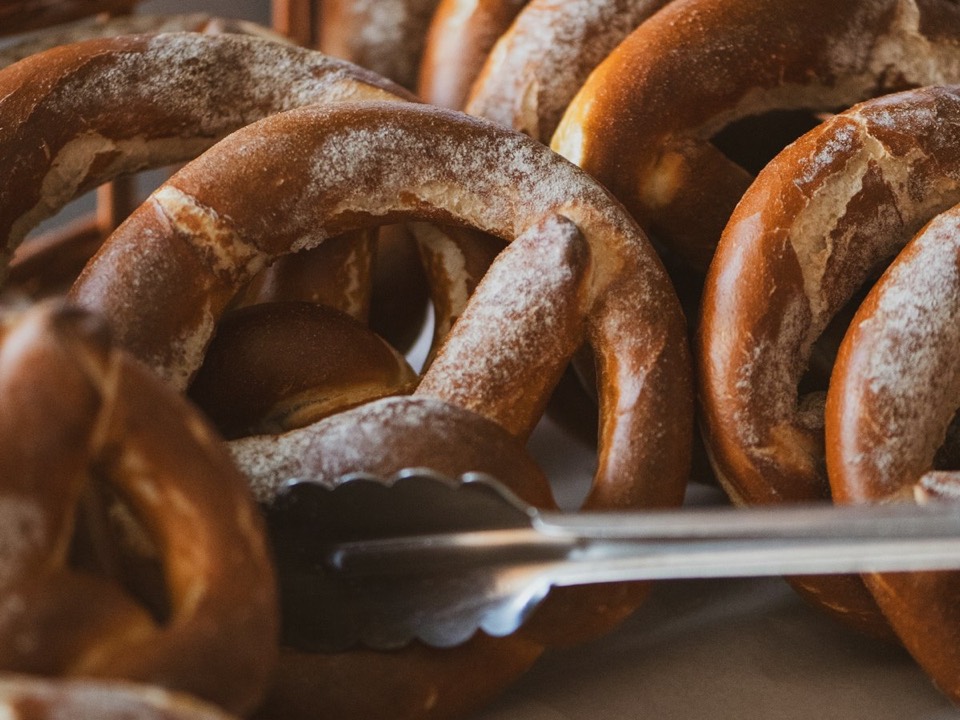
- a hot dog
- a corn dog
- a pretzel

What the machine needs
Alexei’s account: the machine is opening a gate beneath the mall.
- Locate the control room.
- Reach the two shutdown keys.
- Check the safe combination before going in.
Working note: translation is evidence, not a complete floor plan.
Yesterday
Find out where the elevator in the storeroom goes down to.
- Price
- $2.95
- Section
- Sundaes
- Available
- At the counter
- Orders
- 12
Tuesday
- Price
- $2.95
- Section
- Sundaes
- Available
- At the counter
- Orders
- 12
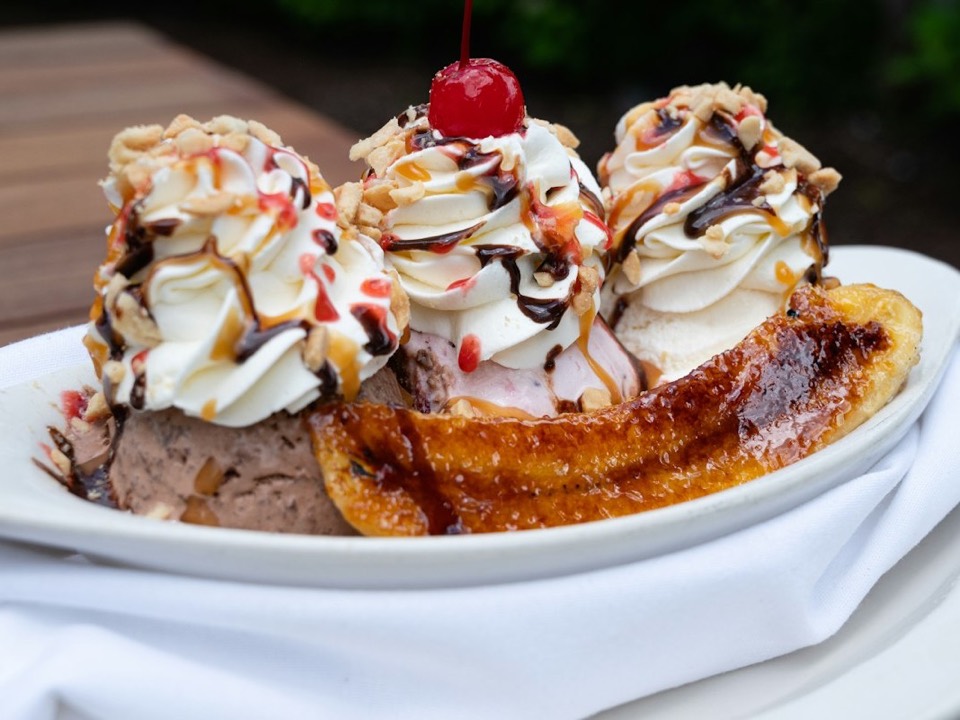
- Price
- $2.95
- Section
- Sundaes
- Available
- At the counter
- Orders
- 12
The visitor guide includes entrances, parking and shop locations.
The counter opens at 10 am. Orders are available until 9 pm.
Monday

Match each line of the message to a place in the mall.
Every magnet on the store display fell off at once, then did it again an hour later.
Sunday
Pick out the mall in the sounds behind the message on the tape.
Work out what the Russian message on the tape is saying.


They came back every night for my fertilizer, bag after bag
They came back every night for my fertilizer, bag after bag
- Price
- $2.95
- Section
- Sundaes
- Available
- At the counter
- Orders
- 12
- Price
- $2.95
- Section
- Sundaes
- Available
- At the counter
- Orders
- 12
Every magnet on the store display fell off at once, then did it again an hour later.
Every magnet on the store display fell off at once, then did it again an hour later.
Saturday
STATION: CEREBRO / WEATHERTOP
CALL TO UTAH .......... NO REPLY
UNEXPECTED SIGNAL .... VOICE / RUSSIAN
MESSAGE .............. REPEATING
NEXT STEP ............ KEEP THE TAPETape the Russian message Cerebro picked up on Weathertop.
- About
- The radio built at camp, to reach Utah from Weathertop
- Visibility
- Public
Friday
The power went out across town this evening. It came back on its own a minute later.
- About
- The radio built at camp, to reach Utah from Weathertop
- Visibility
- Public
Summary
Summary mode groups activities by actor and day, with phrases such as "placed 3 orders, asked about a product and paid". Actors with the same single activity may share a row. See Summary Rows for the payload fields.
use Storyfeed\Facades\Storyfeed;

Storyfeed::feed()->summary()->get();
Today
Yesterday
Find out where the elevator in the storeroom goes down to.
- Price
- $2.95
- Section
- Sundaes
- Available
- At the counter
- Orders
- 12
Tuesday
Monday
Every magnet on the store display fell off at once, then did it again an hour later.
Sunday
Work out what the Russian message on the tape is saying.
They came back every night for my fertilizer, bag after bag
They came back every night for my fertilizer, bag after bag
Saturday
- About
- The radio built at camp, to reach Utah from Weathertop
- Visibility
- Public
Friday
The power went out across town this evening. It came back on its own a minute later.
- About
- The radio built at camp, to reach Utah from Weathertop
- Visibility
- Public
Log
Log mode displays each activity in a separate row.
use Storyfeed\Facades\Storyfeed;

Storyfeed::feed()->log()->get();
Today
Planck’s constant is 6.62607004.
- a hot dog
- a corn dog
- a pretzel
What the machine needs
Alexei’s account: the machine is opening a gate beneath the mall.
- Locate the control room.
- Reach the two shutdown keys.
- Check the safe combination before going in.
Working note: translation is evidence, not a complete floor plan.
Yesterday
Find out where the elevator in the storeroom goes down to.
- Price
- $2.95
- Section
- Sundaes
- Available
- At the counter
- Orders
- 12
Tuesday
Unlock the storeroom door from the inside so the others can get in.
Crawl through the ducts into the locked storeroom.
- Price
- $2.95
- Section
- Sundaes
- Available
- At the counter
- Orders
- 12
hawkins-post-internship-agreement.pdf · 60 KB · application/pdf
hawkins-post-internship-agreement.pdf · 60 KB · application/pdf
- Price
- $2.95
- Section
- Sundaes
- Available
- At the counter
- Orders
- 12
The visitor guide includes entrances, parking and shop locations.
The counter opens at 10 am. Orders are available until 9 pm.
Monday
- Title
- Filter out the static
- Branch
- static-filter
- Files changed
- 2
- Title
- Add a tape recorder input
- Branch
- tape-input
- Files changed
- 4
Match each line of the message to a place in the mall.
Every magnet on the store display fell off at once, then did it again an hour later.
Sunday
Pick out the mall in the sounds behind the message on the tape.
Work out what the Russian message on the tape is saying.

They came back every night for my fertilizer, bag after bag
They came back every night for my fertilizer, bag after bag
- Price
- $2.95
- Section
- Sundaes
- Available
- At the counter
- Orders
- 12
- Price
- $2.95
- Section
- Sundaes
- Available
- At the counter
- Orders
- 12
Every magnet on the store display fell off at once, then did it again an hour later.
Every magnet on the store display fell off at once, then did it again an hour later.
Saturday
STATION: CEREBRO / WEATHERTOP
CALL TO UTAH .......... NO REPLY
UNEXPECTED SIGNAL .... VOICE / RUSSIAN
MESSAGE .............. REPEATING
NEXT STEP ............ KEEP THE TAPETape the Russian message Cerebro picked up on Weathertop.
- About
- The radio built at camp, to reach Utah from Weathertop
- Visibility
- Public
Friday
The power went out across town this evening. It came back on its own a minute later.
- Director
- George A. Romero
- Showing
- Sneak preview
- Director
- George A. Romero
- Showing
- Sneak preview
- Director
- George A. Romero
- Showing
- Sneak preview
- Director
- George A. Romero
- Showing
- Sneak preview
- Title
- Boost the range to reach Utah
- Branch
- utah-range
- Files changed
- 2
- Title
- Wire up the transmitter
- Branch
- transmitter
- Files changed
- 5
- Title
- Add the antenna mount
- Branch
- antenna-mount
- Files changed
- 3
- About
- The radio built at camp, to reach Utah from Weathertop
- Visibility
- Public
All modes use the same payload structures.
Choosing the Summary Period
The summary method groups by day by default. Pass a Period to select another calendar period:
use Storyfeed\Facades\Storyfeed;
use Storyfeed\Grouping\Period;

Storyfeed::feed()->summary(Period::Week)->get();Every magnet on the store display fell off at once, then did it again an hour later.
They came back every night for my fertilizer, bag after bag
They came back every night for my fertilizer, bag after bag
| Period | Calendar Period |
|---|---|
Period::Hour | hour |
Period::Day | day; the default |
Period::Week | ISO week, starting Monday |
Period::Month | month |
You may also pass a string, such as ->summary('week'). Periods use calendar boundaries in app.timezone. To retrieve activities from the last hour, apply a constraint with the query method: ->query(fn (ActivityBuilder $query) => $query->where('published_at', '>=', now()->subHour())).
This period applies only to summary mode. Configure each verb's grouping period separately; see Grouping Periods.
Filtering Activities
Filtering by Entity or Role
Use the involving method to retrieve activities that reference an entity in any role:
use Storyfeed\Facades\Storyfeed;

Storyfeed::feed()->involving($order)->get();
$order->storyfeed()->get();   // the same read, from the model
You may also filter by a specific role:
| Call | Returns |
|---|---|
->involving($model) | activities where the model is actor, object, target, context, origin, result, or instrument |
->context($shop) | activities with the shop in the context role |
->actor($customer) | activities performed by the customer |
->object($order) / ->target($shop) | activities matching the specified role |
Constraints on different roles combine, and group counts include only matching activities. Calling the same role setter again replaces its previous value on a plain builder. A role locked by a feed class cannot be rebound; additional filters preserve that outer scope.
NOTE
The difference between involving and context
The context method matches only the context role. An activity that adds a product to a menu assigns the product to the object role, so use involving to include it in the product's feed. See Containers & Context.
Filtering by Verb
Use the verb method to filter by one verb. The only and except methods accept lists:
use App\Enums\OrderActivity;
use Storyfeed\Facades\Storyfeed;

Storyfeed::feed()->verb('place')->get();
Storyfeed::feed()->only(['place', 'ready'])->get();
Storyfeed::feed()->only(['re*', OrderActivity::Confirmed])->get(); // matches ready, reprice and confirm
Storyfeed::feed()->except(['note'])->get();| Input | Behaviour |
|---|---|
| a list | accepts verb strings and enum cases together |
re* | matches verbs starting with re |
| an unrecognised verb | matches no activities unless that verb has been recorded; does not throw |
only([]) or except([]) | throws an exception |
repeated only() / except() calls | activities must match every accumulated filter |
repeated verb() calls | the last value replaces the previous verb |
Groups include only activities whose verbs match the filter.
Custom Query Constraints
Use the query method to apply custom constraints to the activity query:
use Storyfeed\Models\Builders\ActivityBuilder;

// everything except notes
$shop->storyfeed()
    ->query(fn (ActivityBuilder $q) => $q->whereNot('verb', 'note'))
    ->get();

// tonight's service
$shop->storyfeed()
    ->query(
        fn (ActivityBuilder $query) => $query
            ->where('published_at', '>=', today()->setHour(17)),
    )
    ->get();
Constraints apply to activities and groups. The callback can only narrow the results: orWhere cannot bypass existing filters, ordering is ignored, and limit() or offset() throws an exception. Set the page size with the feed builder's limit method.
Conditional Constraints
Use the when method to apply a filter only when a value is present:
use App\Models\Shop;
use Storyfeed\Facades\Storyfeed;
use Storyfeed\FeedBuilder;

Storyfeed::feed()
    ->when($request->shop, fn (FeedBuilder $feed, Shop $shop) => $feed->involving($shop))
    ->get();
Paginating Results
To paginate a feed, call the cursorPaginate method. It returns a Storyfeed\FeedPaginator and retrieves the cursor from the current request:
use Illuminate\Support\Facades\Route;
use Storyfeed\Facades\Storyfeed;

Route::get('/', function () {
    return view('feed', [
        'page' => Storyfeed::feed()->cursorPaginate(15),
    ]);
});
The argument specifies the number of items per page. If you omit it, the paginator uses the builder's limit, which defaults to 30. Iterating over the paginator returns Storyfeed\Support\FeedItem instances.
To display pagination links in Blade, call the links method:
@foreach ($page as $item)
    {{ $item->headline() }}
@endforeach

{{ $page->links() }}
The paginator uses Laravel's simple pagination views, including any views you have customized in your application. Feeds paginate forward only, so the previous-page link is disabled. The nextPageUrl method returns the next page's URL, or null on the last page. The previousPageUrl method returns null. See Storage Architecture for what a cursor holds.
Customizing Pagination URLs
To use a different query string parameter, pass its name as the second argument:
$page = Storyfeed::feed()->cursorPaginate(15, 'feed_cursor');Use the withQueryString method to include the current request's query string in pagination links. You may also append specific values or a URL fragment:
$page = Storyfeed::feed()->cursorPaginate(15)->withQueryString();

$page->appends(['filter' => 'mine'])->fragment('activity');
Returning JSON
Returning the paginator from a route produces JSON with Laravel's data, path, per_page, next_cursor, next_page_url, prev_cursor, and prev_page_url keys. It also includes the feed's payload_version, items, and sync_token keys. The data and items arrays contain the same items; prev_cursor and prev_page_url are null.
Cursor strings are opaque. Pass them back unchanged without decoding or constructing them. In PHP, the paginator's nextCursor method returns a Laravel cursor object; its encode method returns the opaque string.
Paginating Without a Request
For jobs and commands, use the get method. It returns a FeedPage, whose nextCursor method returns the opaque string for the next page:
$page = Storyfeed::feed()->limit(15)->get();

if ($cursor = $page->nextCursor()) {
    $nextPage = Storyfeed::feed()->limit(15)->cursor($cursor)->get();
}
Handling a Changed Feed
Use these response fields for subsequent requests:
| Key | Usage |
|---|---|
next_cursor | pass as ?cursor= to retrieve the next page; null on the last page |
sync_token | if it changes, discard previously loaded items and request the first page again |
Use a cursor with the same feed constraints, filters, mode, and query callbacks that produced it.